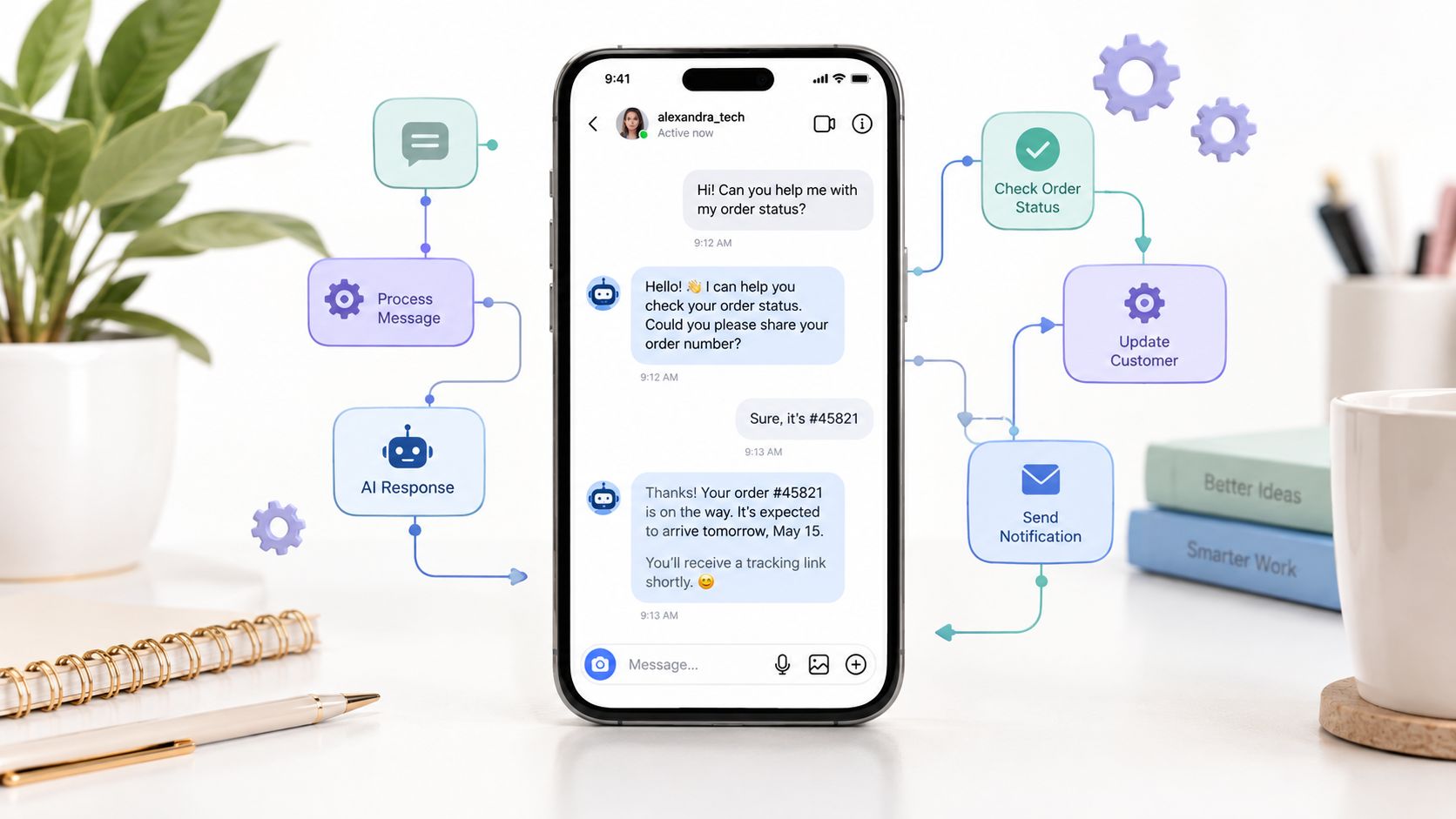
A social media manager opens Instagram on Monday morning and finds a queue of product questions, delivery requests, partnership inquiries, and comments asking for a link. By the time the team answers the first batch, the most interested customers have moved on, while a well-meaning shortcut risks sending messages outside Meta's permitted rules.
Instagram DM automation solves the workload problem only when it's treated as messaging infrastructure, not as a bot that blasts replies. The reliable model starts with a real user action, uses Meta-approved access, records every event, and passes judgment-heavy conversations to a person. A shortcut that imitates activity in the Instagram app may appear fast, but it creates a fragile system with little control over permissions, delivery, or escalation.
Table of Contents
- Introduction to Instagram DM Automation
- Prerequisites for Instagram DM Automation
- Connecting Tools and Configuring the API
- How Exerta Can Help
- Designing Conversation Flows and Templates
- Implementing Compliance Guardrails and Rate Limits
- Measurement Reporting and Human Handoff
- Real World Examples and Troubleshooting
Introduction to Instagram DM Automation
A useful automation doesn't try to answer everybody. It identifies a defined interaction, responds with relevant context, and gives the recipient a clear next step. A comment asking for a product guide might trigger a private reply. A story response might route to an FAQ. A complaint about an order should move quickly to a trained agent rather than continue through a sales sequence.
Meta's Messenger API for Instagram established an official path for this kind of workflow. Meta began beta testing the API in October 2020 with 30 developers and 700 brands, then announced global availability to developers on June 2, 2021, as described in Meta's announcement of Messenger API for Instagram. The important distinction is architectural: authorized automation communicates through Meta's permissions and APIs, while unofficial browser bots, scraping, and password-based tools simulate actions.
Practical rule: Automate the repetitive first response and routing. Keep accountability, sensitive decisions, and recovery with people.
A scalable implementation has several connected parts:
- A valid trigger, such as an inbound message, a supported comment interaction, or a story response.
- A conversation policy, including disclosure, timing, consent, and message eligibility.
- A flow, with intent classification, useful responses, and stop conditions.
- An audit trail, showing which event triggered the reply, which account sent it, and when a human took ownership.
- A measurement layer, focused on delivery, meaningful replies, clicks, qualified leads, and outcomes.
The result should feel less like an automatic campaign and more like a well-run support desk. Speed matters, but speed without context only creates faster confusion.
Prerequisites for Instagram DM Automation
Start with account eligibility, not templates. Instagram DM automation depends on a Professional account, approved access to Meta's messaging capabilities, and a connection that your team can monitor and revoke. Meta's Instagram Platform documentation is the reference point for current product requirements because access models and permissions can change.

Confirm the account and business connection
The account should be configured as an Instagram Professional account and connected to the appropriate Meta business assets. Use an account owned by the business or client, not a personal login shared informally across an agency. Ownership determines who can approve access, replace credentials, review permissions, and respond when a connection fails.
Before development begins, document:
- Account ownership: Record the business owner, administrator, and operational contact.
- Asset connection: Confirm the Instagram account is connected to the relevant Meta business setup.
- Team roles: Assign who can create flows, approve messages, inspect logs, and take over live conversations.
- Environment separation: Keep testing and production credentials separate where your implementation supports it.
Request only the access you need
Create or select a Meta developer application, configure the Instagram messaging products, and request the permissions required by your use case. Don't ask for broad access just because a platform offers it. Narrow permissions make reviews easier and reduce the consequences of a compromised credential.
Your checklist should include:
- Identify the account and business assets that will send and receive messages.
- Configure the application and messaging permissions in Meta's developer tools.
- Add the webhook callback endpoint and verification information.
- Subscribe to the inbound events your workflow requires.
- Test an inbound interaction and confirm that the event reaches your system.
- Verify that the response is sent through the supported Messaging API path.
Treat approval as an operational dependency
API access isn't a one-time technical checkbox. The account type, permissions, token state, webhook configuration, and message rules all affect whether a flow continues to work. Build a pre-launch record containing the account identifier, permission status, token owner, webhook status, and escalation contact.
The historical rollout reinforces this point. Meta introduced access through a phased process rather than an unrestricted instant launch, and later evolved the technical model with a new Instagram API using Instagram Login on July 23, 2024. A durable implementation therefore depends on eligibility and official authentication, not on replicating actions inside the app.
Connecting Tools and Configuring the API
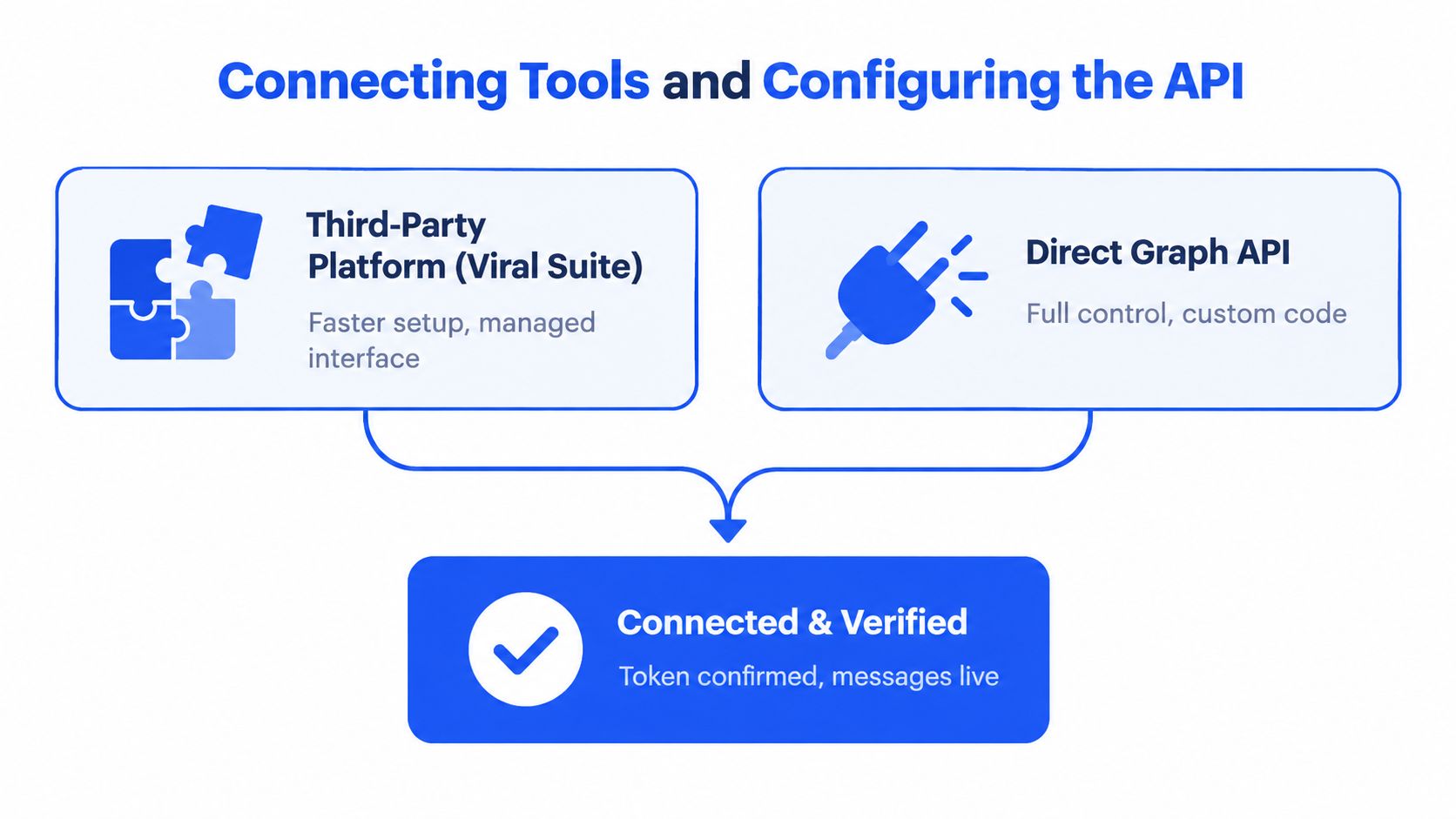
A workable Instagram DM setup starts with one decision. Either connect through a managed platform that gives operations teams a shared interface, or build directly on the API so engineering owns the full message pipeline. The right choice depends less on feature lists and more on control, auditability, and who has to fix failures at 6 p.m. when replies stop sending.
The unsafe path is easier to spot. Avoid tools that depend on scraping, browser automation, or shared account passwords. Those shortcuts sit outside the supported access model and create a compliance problem fast. You lose a clean record of which system sent a message, which trigger fired it, and how to prove the action stayed inside approved rules.
Choose the operating model
A managed platform fits teams that need to launch faster, share inbox ownership, and let non-developers maintain approved flows without touching infrastructure. Before you connect any account, inspect the permission model, event logs, token storage approach, export options, escalation controls, and failure reporting. A polished dashboard is irrelevant if your team cannot trace a dropped reply or reconstruct who approved a workflow change. Teams comparing managed options can review Viral Suite's product capabilities as one example of how social workflow software is packaged, but the same review standard should apply to any vendor.
Direct integration is the better fit when message routing has to connect with internal systems. That includes custom intent classification, CRM sync, identity checks, consent records, and warehouse-level reporting. It also shifts more operational work to your team. You own webhook security, duplicate-event handling, retries, token renewal, rate-limit behavior, and deployment controls. In practice, this model is stronger when compliance and audit trails matter more than speed of setup.
Build an event-driven foundation
Polling message threads on a timer is a weak design. Production systems should ingest inbound events through webhooks, verify the request, deduplicate delivery attempts, evaluate whether the user action supports a reply, and only then enqueue a response. That structure makes user-initiated triggers visible and keeps the send step separate from decision logic.
A clean sequence usually looks like this:
- Receive the webhook. Accept the inbound event on a protected endpoint.
- Validate the request. Reject anything that fails the application's verification method.
- Deduplicate the event. Store processed IDs so retries do not create duplicate replies.
- Resolve conversation state. Load the account, user, trigger source, consent status, and current handoff state.
- Classify intent. Route the message to support, sales, FAQ, opt-in handling, or human review.
- Check reply eligibility. Confirm that the conversation still meets the allowed response conditions.
- Queue the send. Keep message creation separate from delivery so retries stay safe and auditable.
- Write the outcome. Record request status, delivery result, error reason, and current owner of the thread.
That queue matters. It gives you a reliable place to pause automation, inspect edge cases, and hand the conversation to a human without losing context.
Protect tokens and design for renewal
Access tokens belong in a secrets manager or encrypted credential store. Do not place them in client-side code, spreadsheets, chat threads, or ordinary logs. Restrict access by service role, rotate credentials through a documented procedure, and alert the team before a token expires or is invalidated.
Your token-health record should track the account, token owner, issue or refresh time, last successful API call, last failure, and renewal state. Analysts at DM Daddy's Instagram DM automation analysis point to expired or invalidated Meta access tokens as a common reason for failed sends. That is why credential monitoring should be part of the first release, not a cleanup task later.
Meta's send-messages documentation also supports this operating model. Use inbound webhooks, deduplicate events, respect the 24-hour Standard Messaging Window, honor Retry-After, and apply exponential backoff to HTTP 429 responses. Temporary failures happen. Retry storms are self-inflicted.
How Exerta Can Help
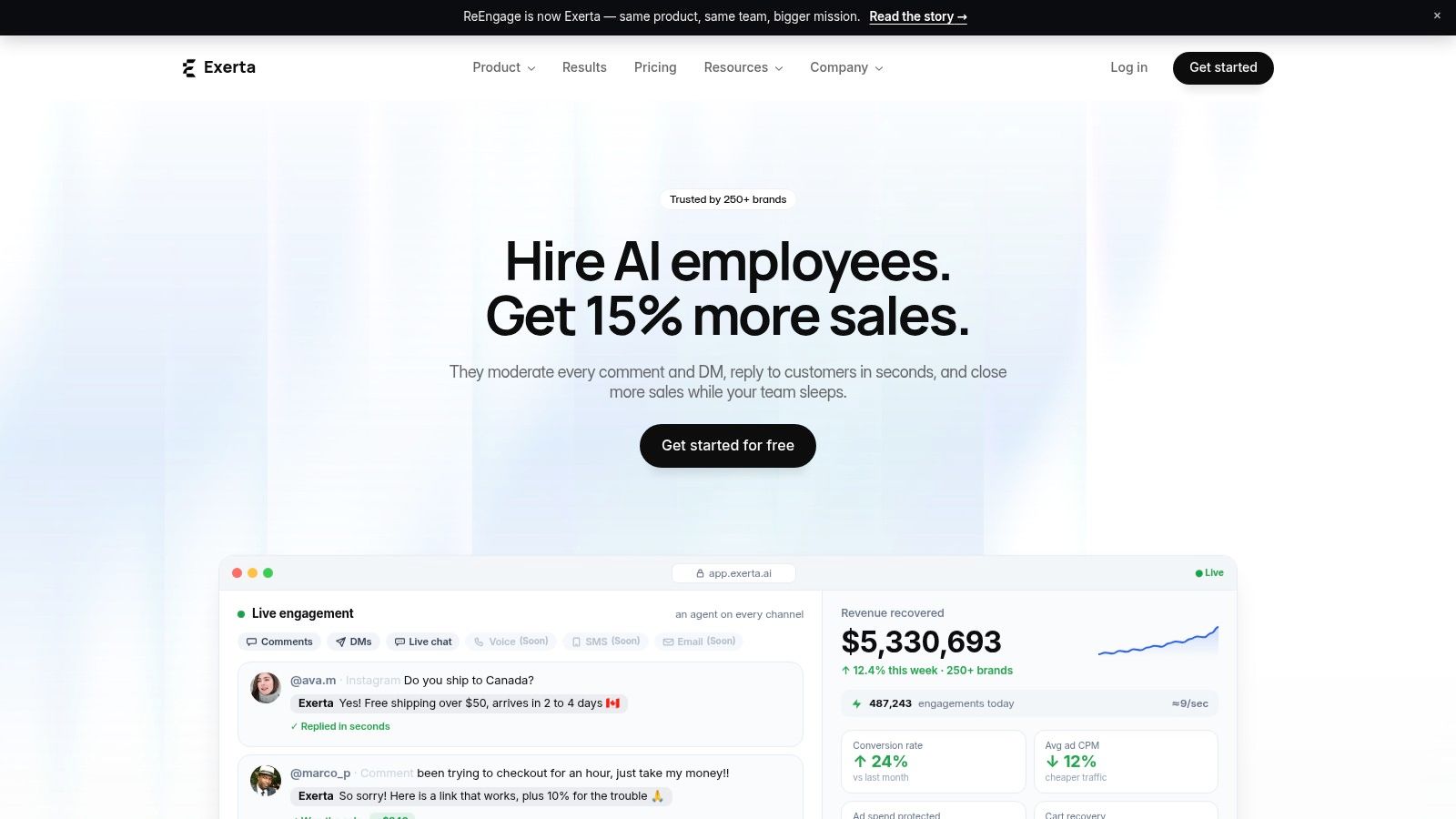
A managed AI-agent platform can be useful when the problem isn't only sending a first reply, but handling the conversation after it begins. Exerta's Instagram DM automation resource is relevant for teams comparing rule-based flows with agent-assisted engagement across social and web channels.
Exerta is designed for DTC and ecommerce brands, telehealth teams, lead-generation businesses, coaches, information businesses, and agencies managing paid social conversations. Its agents can respond to comments, DMs, and web chat in a configured brand voice, provide links or offer details, moderate harmful comments, and route conversations for approval or human intervention.
Match the platform to the workflow
The useful distinction isn't “AI versus no AI.” It's whether the system can keep automation inside a controlled operating model.
Exerta's relevant capabilities include:
- Brand-trained responses: Agents can answer routine questions using configured tone, product information, links, prices, and offers.
- Moderation: Rules can hide spam, scams, and harmful content before it damages a public conversation.
- Revenue recovery: Buyer-intent flows can provide checkout links and route interested people toward a purchase.
- Cross-channel coverage: The platform supports Facebook, Instagram, TikTok, and website chat, with other channels described as planned.
- Escalation and approvals: Teams can configure points where an agent must stop and a person must take over.
- Workflow visibility: Branch logic, logs, attribution, and dashboards help teams tune responses instead of guessing.
- Commerce context: Shopify attribution can connect conversations with orders and identify which interaction closed the sale.
This model suits teams that need 24/7 triage, consistent answers, and auditable actions without building every component internally. It's less suitable when the business needs deep custom orchestration, strict on-premise control, or a highly specialized identity and compliance layer that a managed product can't expose.
The critical evaluation remains the same as with any automation provider. Confirm official Meta access, inspect how the product handles user-initiated conversations and response windows, test human takeover, and verify that you can export conversation history and failure reasons. AI can improve the messy middle of a conversation, but it doesn't remove the need for permission checks and policy-aware routing.
Designing Conversation Flows and Templates
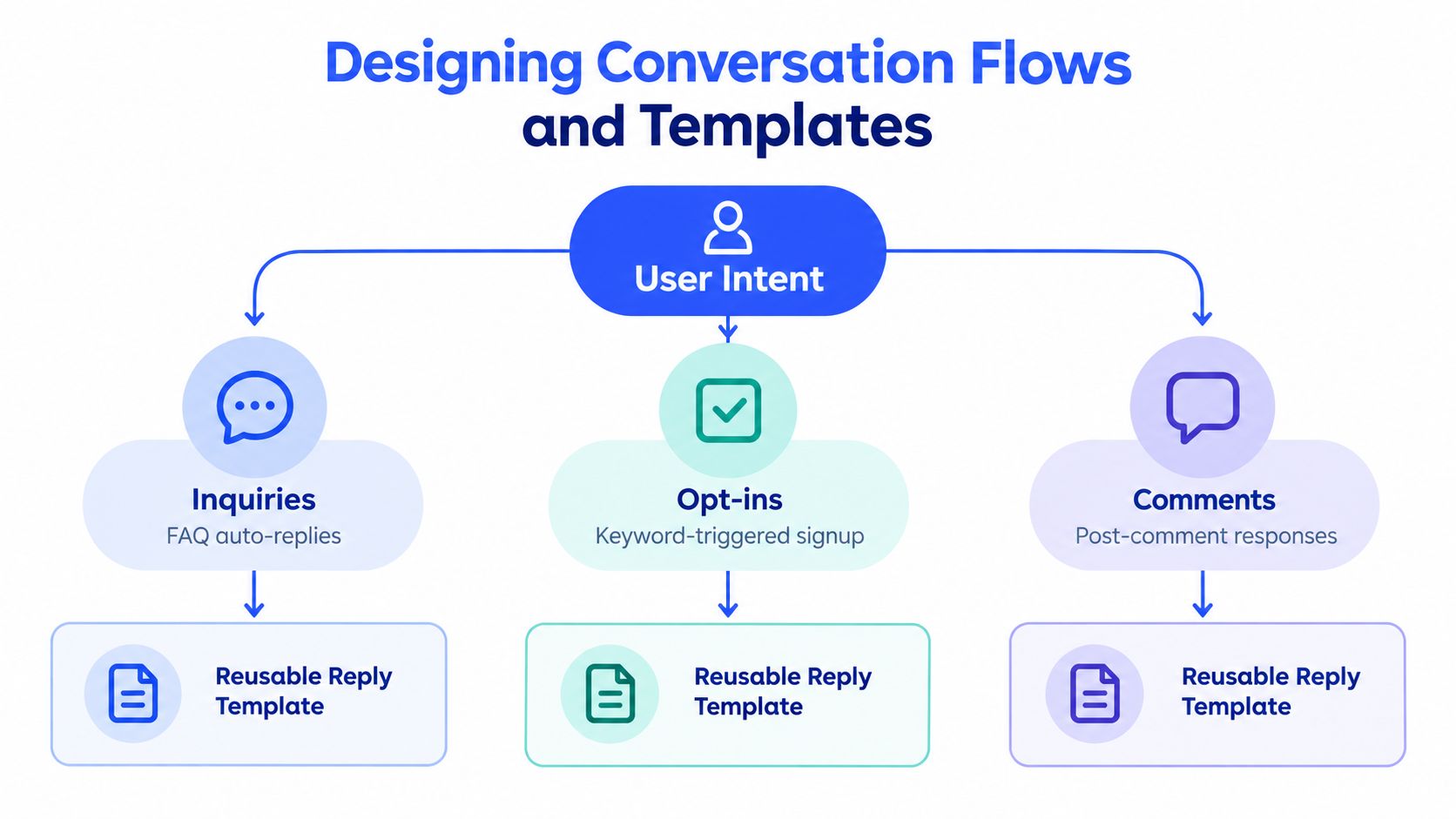
A flow should start with why the person contacted the account, not with the message your marketing team wants to send. Separate low-risk intents, such as store hours or a product link, from high-risk intents, such as refunds, payments, health questions, complaints, and personal data. The latter should reach a human or a specialized process quickly.
Map the trigger to the first response
A comment-to-DM flow needs to acknowledge the action that caused the message. An inbound support message needs to confirm receipt and identify the issue. A story reply can use the story context, but the system should still provide an obvious way to ask for a person.
A practical flow map looks like this:
- Comment interaction: Confirm the requested resource, then offer one relevant next action.
- Story reply: Answer the story prompt or classify the request before sharing a link.
- Inbound product question: Provide the answer, then ask one focused qualification question.
- Support request: Capture the issue category and hand off if the request involves an order, payment, complaint, or sensitive information.
- Opt-in request: Explain what the person will receive and record the consent evidence required by the selected workflow.
Use one question at a time. “What are you trying to solve?” is easier to answer than a compound request for budget, timeline, location, and product preference.
Write templates that preserve context
Templates should be short enough to scan and specific enough to prove that the automation understood the trigger. They also need a disclosure when the person is interacting with an automated service, as required by Meta's messaging guidance.
Examples:
Comment trigger: “Thanks for commenting for the guide. You're interacting with an automated assistant. Would you like the quick checklist or the full version?”
Product inquiry: “I can help with product details. You're chatting with an automated assistant. Are you looking for availability or sizing?”
Support handoff: “I'm going to bring in a team member who can review this properly. Please don't send payment details here.”
Avoid generic openers, unexplained links, and language that implies a human is typing when no human is present. The first message should set expectations and make the next reply easy.
Add stops, branches, and ownership
Every flow needs an exit condition. Stop automation when the person requests an agent, expresses frustration, asks about a refund or payment, reports a safety issue, or provides information that requires verification. Set a human-owned state so later automation can't continue after handoff.
The guidance on Meta's permitted DM automation supports treating automation as customer-service and revenue infrastructure rather than as an engagement counter. That means the flow should optimize for a useful resolution or clean handoff, not maximum bot containment.
Before publishing, test each branch with a real Professional account, verify links on mobile, confirm the disclosure appears where required, and inspect the transcript from the agent's perspective. A flow is ready when a human can understand what happened without asking the customer to repeat the entire conversation.
Implementing Compliance Guardrails and Rate Limits
A compliant Instagram DM workflow starts with one question: what user action justifies this message? If you cannot point to a recorded inbound trigger, the message should not be sent. That single rule prevents the most common automation mistake, cold outreach dressed up as support or follow-up.
Meta also expects automated experiences to be transparent in cases where disclosure is required. In practice, the first automated reply should make it clear that the person is interacting with a system, set the scope of what it can do, and leave room for a human takeover. This guide matters because compliance is not only about message copy. It is about triggers, timing, routing, and logs your team can audit later.
Separate permitted behavior from risky behavior
| Allowed approach | Restricted or risky approach |
|---|---|
| User-initiated conversations: Respond after the person starts an eligible interaction. | Cold outreach: Don't message people who haven't initiated a permitted conversation. |
| Clear automation disclosure: Tell people when an automated service is handling the interaction. | Human impersonation: Don't imply that an agent is present when the system is automated. |
| Standard replies within the active window: Complete the useful response while the conversation is eligible. | Window abuse: Don't treat the response window as a general license to message. |
| Human escalation: Stop automation when judgment, sensitivity, or frustration appears. | Uncontrolled continuation: Don't keep sending automated prompts after a handoff request. |
| Measured queueing: Send through controlled queues and respect returned limits. | Bulk retries: Don't aggressively retry failures or send promotional copy under a customer-service exception. |
Enforce the response window in code
The response window is a system rule, not a suggestion for operators to remember. Store the timestamp of the latest qualifying inbound event, evaluate eligibility before every outbound send, and block messages that fall outside the permitted window or content type. As noted earlier, the standard messaging window is limited. Your code should enforce it every time, not rely on agent judgment in the inbox.
A safe decision process is:
- Find the latest qualifying inbound interaction.
- Calculate whether the standard response window remains active.
- Check whether the message is promotional, support-related, or another permitted category.
- Suppress the send if the window has closed or the content isn't allowed.
- Route the conversation to an approved consent or marketing-message flow when recurring marketing communication requires explicit permission.
- Record the decision and reason, including suppressed sends.
Promotional content needs its own approval path. A discount, launch notice, or offer does not become compliant just because the customer asked a question earlier. Keep that rule explicit in templates, reviewer guidance, and send logic.
Handle limits as system behavior
Rate limits change by account and endpoint, so hard-coded ceilings create brittle systems. Read limit headers when they are available, honor Retry-After, queue outbound work, and back off after HTTP 429 responses. If your automation sends media, test it separately from text because operational behavior can differ enough to justify distinct queues.
Own the failure path, too. Add a circuit breaker that pauses a flow after repeated failures and alerts the person responsible for the channel. Log the account, endpoint, event ID, response code, retry count, and final outcome. Those records let engineers distinguish policy rejections, expired credentials, closed windows, and temporary platform pressure without guessing from inbox screenshots.
Guardrail: A message that cannot be justified by a recorded user action, an eligible response window, and an approved workflow should not leave the queue.
Measurement Reporting and Human Handoff
A reporting setup for Instagram DM automation has to answer one operational question. Did the workflow move the conversation forward safely, or did it create work, risk, and dead ends? That means measuring delivered message, meaningful reply, qualified lead, human handoff, and conversion by trigger, flow, and message variant, not by inbox activity alone.
Open rate does not belong at the center of this dashboard because the Instagram Messaging API does not provide dependable read-receipt data. Use metrics the system can observe and audit:
- Delivery: Whether Meta accepted and delivered the message.
- Meaningful reply: Whether the user responded with a recognizable intent.
- Click: Whether the person used a tracked link or action.
- Qualification: Whether the conversation matched the business's lead criteria.
- Handoff: Whether automation transferred ownership to a person.
- Latency: How long the automated system or assigned agent took to respond.
- Failure reason: Whether the send failed because of credentials, timing, limits, or recipient state.
- Outcome: Whether the interaction resolved, produced a lead, or connected with a purchase.
Use benchmarks as diagnostics
If you want a baseline for delivery and failure patterns, use the benchmark dataset cited earlier in the article as a comparison point, not as a target to chase. The practical value is directional. If your delivery rate is weak or failures cluster around one cause, fix the failure class with the highest operational impact first.
In practice, token health usually deserves attention before anything else because expired credentials break every downstream flow, including compliant ones. After that, check whether your send logic is suppressing messages outside the allowed response window. Then review recipient-level and content-specific errors. This order keeps teams from wasting time tuning copy or prompts when the underlying issue is authentication or policy gating.
Make handoff an explicit state
Human handoff needs to exist as a system state, not as an informal note inside the transcript. Store ownership values such as automated, pending_agent, human_owned, and resolved. Once a customer asks for a person, raises a high-risk topic, or reaches a configured fallback limit, automation should stop sending, assign the thread to the right queue, and preserve the event trail that led to the transfer.
That audit trail matters. If a reviewer cannot see the trigger, the message history, the suppression decisions, the assignee, and the timestamps, the team cannot prove the workflow behaved correctly.
Set alerts for:
- High-risk intent: Payment, refund, health, legal, safety, or personal-data requests.
- Negative sentiment: Frustration, repeated failed answers, or explicit complaints.
- Repeated fallback: The classifier cannot identify the intent after the configured attempts.
- Delivery degradation: Failure rates rise or token calls begin failing.
- Window pressure: A qualified conversation is nearing the end of its allowed response period.
For campaign links, use one naming standard and generate URLs with a tracked UTM link builder for Instagram campaigns. Include the trigger, flow, message variant, and campaign identifier. Keep consent evidence, timestamps, event IDs, suppression outcomes, and handoff history attached to the conversation record so compliance, support, and engineering can reconstruct exactly what happened.
Real World Examples and Troubleshooting
Consider a DTC brand publishing a Reel that asks people to comment for a sizing guide. The workflow receives the comment event, checks the trigger, sends one contextual private reply, and waits for the person's response before asking a qualification question. The valuable design choice isn't the keyword. It's the pause. The system doesn't continue sending messages to someone who hasn't meaningfully entered the conversation.
If duplicate replies appear, the likely cause is webhook retry handling. Store the event ID before processing, make the reply operation idempotent, and return a successful webhook response only after your system has safely recorded the event. If a message was already queued, the second delivery should find the existing event and stop.
A retailer can use story replies for product availability, but availability changes quickly. Don't hard-code inventory into a long-lived template. Route the request to a current catalog or service, state when the information was checked if your system supports it, and hand off when the customer asks about a special order, payment, or delivery exception.
Diagnose the common breakpoints
| Symptom | Likely cause | Remediation |
|---|---|---|
| No event arrives | Webhook subscription, permission, or account connection issue | Verify the callback, subscription state, account eligibility, and test event delivery. |
| The same reply sends twice | Event retries aren't deduplicated | Persist the platform event ID and make processing idempotent. |
| Messages stop after a successful launch | Token expiry or invalidation | Check token health, renew through the approved process, and alert before expiry. |
| A reply is rejected later in the flow | The response window closed | Store the latest qualifying interaction and suppress sends when the window is inactive. |
| The bot continues after an agent joins | Handoff state isn't enforced | Mark the conversation human-owned and require an explicit release before automation resumes. |
| Users complain about irrelevant answers | Intent classification or template context is weak | Mirror the trigger, reduce branching, ask one question, and add a human fallback. |
| A campaign produces poor clicks | The first message leads with an unexplained link or lacks context | Explain why the person is receiving the message, then present one clear action. |
An agency managing multiple brands adds another risk: configuration leakage. Keep account IDs, tokens, templates, approval histories, and ownership queues separated by workspace. A flow approved for one client shouldn't be available for another client's account without an intentional review.
For broader operating principles around connecting content, community activity, and campaign execution, Viral Suite's social media workflow examples provide useful context. The engineering lesson is straightforward: treat each client's automation as a controlled production system, with versioned templates, named owners, test events, and rollback procedures.
Troubleshoot in this order:
- Confirm the trigger was valid.
- Check account permissions and token health.
- Inspect the webhook event and deduplication record.
- Verify the response-window timestamp.
- Review queue status, rate-limit headers, and retry history.
- Read the transcript for a missing handoff or unsafe branch.
- Replay the flow in a test environment before changing production logic.
A resilient DM operation doesn't measure success by how many messages it sends. It measures whether the right person received the right response, whether the conversation stayed within policy, and whether a human could take over with full context.
If you're ready to build Instagram DM automation, begin with one user-initiated workflow, one clear objective, and one documented handoff path. Then connect the resulting conversations to your wider content, campaign, and approval operations with Viral Suite, so every trigger, reply, owner, and outcome remains visible in one auditable workspace.